No account. No ads. No analytics. Built on Apple’s WebKit. Blocks trackers out of the box.
Same browser, every screen
Mac · iPad · iPhone · Duo




Arc closes on December 22. Bring your Spaces.01
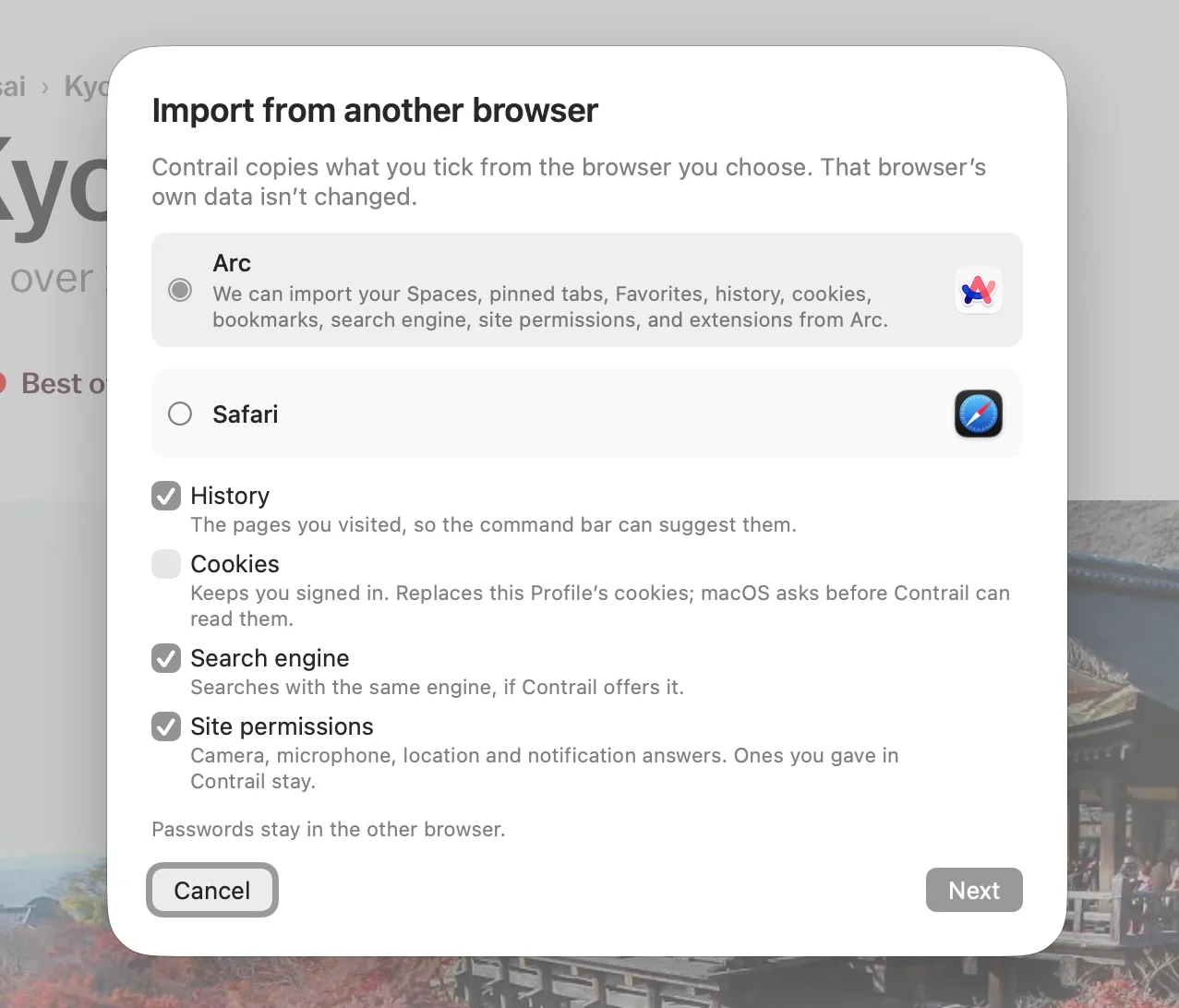
Pick Arc and Contrail copies your Spaces, pinned tabs, folders, splits and Favorites, with your history and bookmarks. Arc’s own data stays as it was. The sidebar and the two-finger swipe work the way you’re used to, and now your iPhone and iPad have them too.
Swipe from work to Kyoto.02
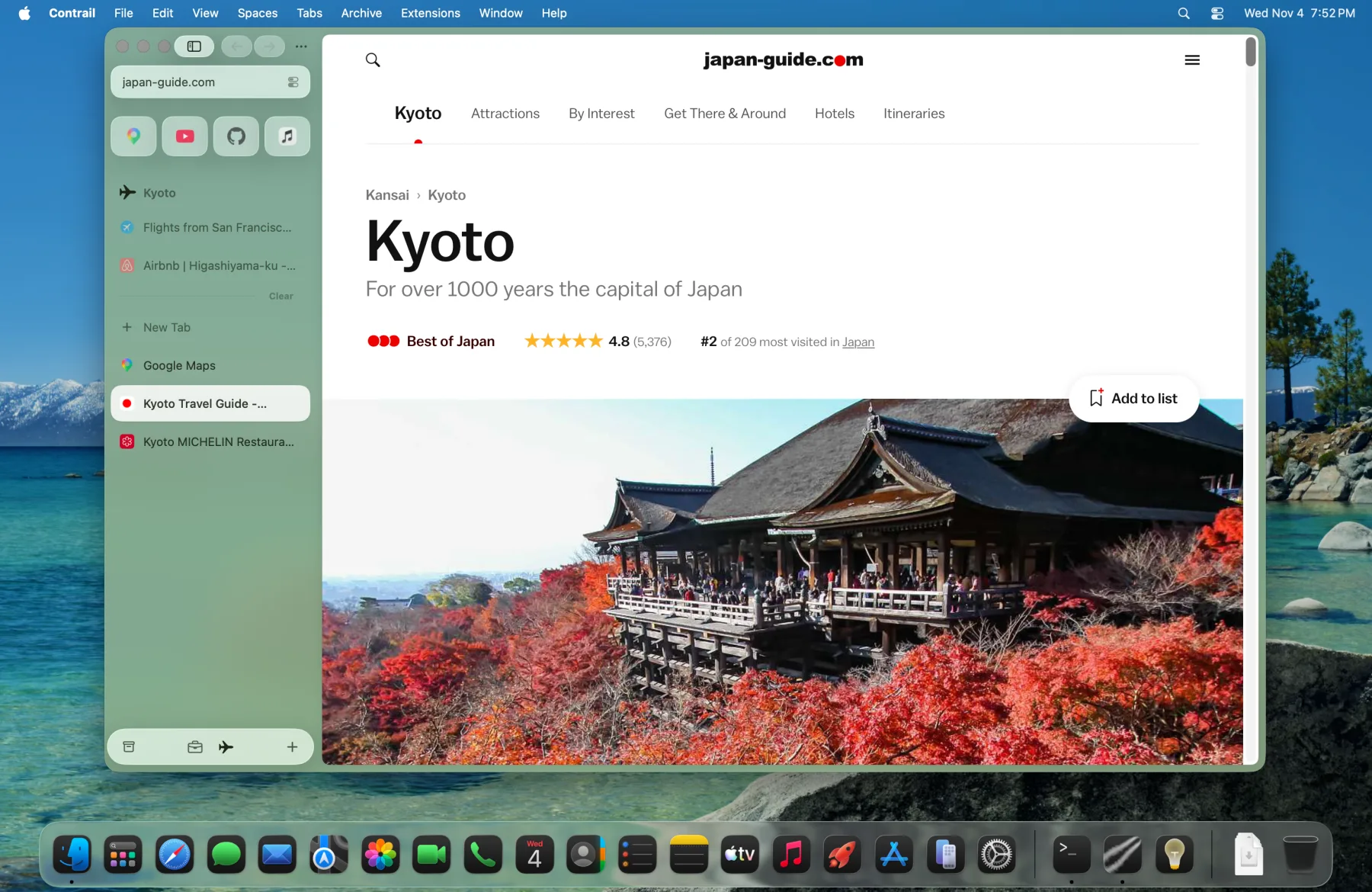
Each Space keeps its own tabs and its own color. Two fingers on the trackpad and your work tabs slide away. The trip’s tabs are already waiting.
Pin what you’ll open again.03
Drag a tab into Pinned and it stays, like a bookmark that’s already open. The tabs you don’t pin move to the Archive after 12 hours, so the list never grows past today.
Drop one tab on another.04
They open side by side. Here the Kyoto guide sits next to Airbnb’s map of Higashiyama, so you can match temples to apartments without switching. Up to four pages at once.
Peek at a link. Your page stays put.05
Shift-click a link and it opens in a card over the page you’re reading. Close it and you’re back where you were, or keep it as a tab.
Type three letters. You’re on the tab.06
Press Command-T and type “air”. The Airbnb tab you already have comes up first with Switch to Tab, so you go back to it instead of opening a second copy. History and search sit underneath.
Blocked: 5. Installed: nothing.07
Contrail blocks ads and trackers on your Mac, iPhone and iPad, with no extension to find or install. The page menu counts what it stopped on the page you’re on.
Plan it on your Mac. Check it on the train.08
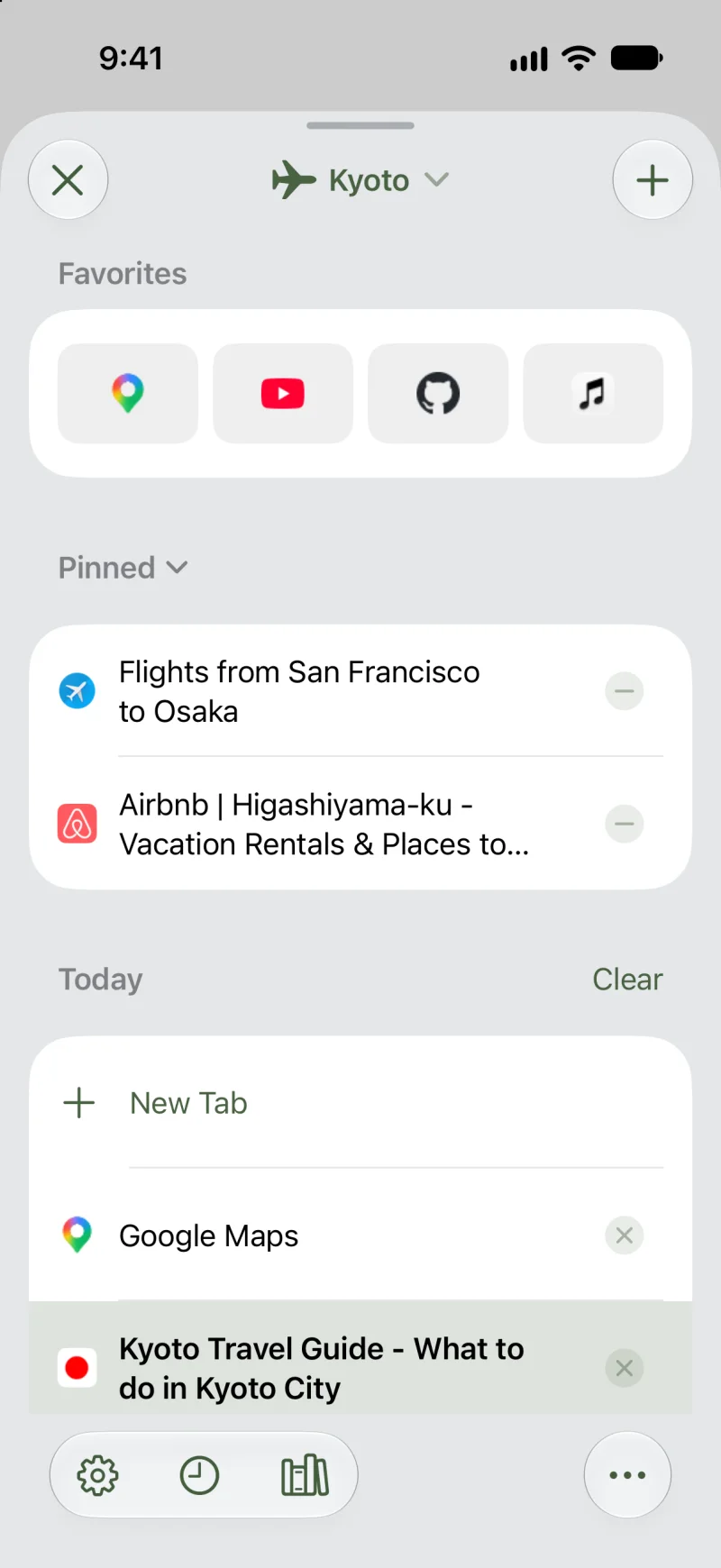
Your Spaces, tabs and Favorites sync through your own iCloud, so the Kyoto Space looks the same on your Mac, iPad and iPhone. There’s no Contrail account to make.
Contrail never asks who you are.09
- AccountsNone
- AdsNone
- AnalyticsNone
- SyncYour own iCloud
- Crash reports on MacOnly if you opt in
Questions10
- Is it free?
- Yes.
- Who makes Contrail?
- An independent developer.
- Does it work with my extensions?
- On the Mac, add extensions from the Chrome Web Store. On iPhone and iPad, Chrome Web Store extensions are in the beta, under Settings ▸ Extensions.
- Can I bring my tabs from Arc, Chrome or Safari?
- Yes. On the Mac, Contrail imports from Arc, Chrome, Brave, Firefox and Safari: history, bookmarks, open tabs, cookies and more. From Arc it also brings your Spaces, pinned tabs and Favorites.
- Is it ready for every day?
- The Mac app is in beta and updates itself. The iPhone and iPad app is in a public TestFlight beta.